Drawing
Drawing is compliant with the international rules. You can draw all the categories at once by
clicking Drawing → Draw All Categories. To draw an individual category (categories) select it
(them) on the Competitors sheet, right click and select Draw Selected from the pop-up menu. You
cannot draw the same category again until the existing drawing has been removed (Remove
Drawing).
Drawing algorithm has been explained in the Appendix 1.
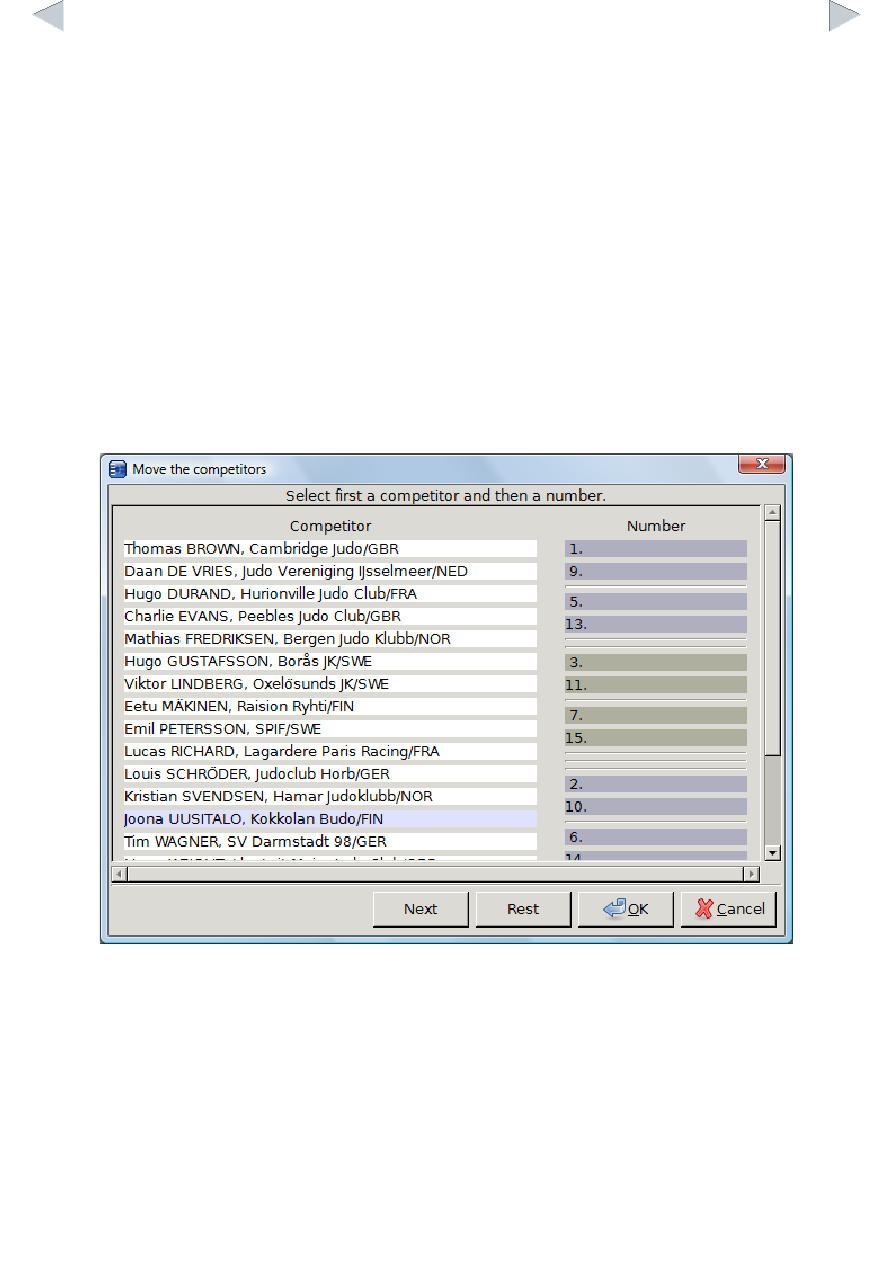
You can do a manual drawing by selecting Draw Manually from the pop up menu. In a new window
there is a list of competitors on the left and a list of numbered positions on the right. First click a
player and then an empty box on the right. You can move a competitor back to the left by clicking it
on the right.
Official Drawing
Official drawing falls between the automatic and manual drawings. Open the manual drawing
window:
Click Next to start the drawing from the seeded and continue at your will. Rest button draws
remaining competitors automatically. Accept the drawing by clicking the OK button and the sheet is
displayed. You may print the sheet by clicking the printer image on the left upper corner.
You can also print the sheet(s) by selecting the categories on the Competitors sheet, right clicking
and selecting Print Selected Sheets.
Supported Competition Systems
JudoShiai supports international, Finnish, Swedish, Estonian, and Spanish competition systems.
From the menu Drawing you can select the preferred set of systems. You can also overrule the