JudoWeight
JudoWeight enables remote weigh-in. You may connect a scale to the laptop using a serial
interface. A barcode scanner is useful to speed up the weigh-in.
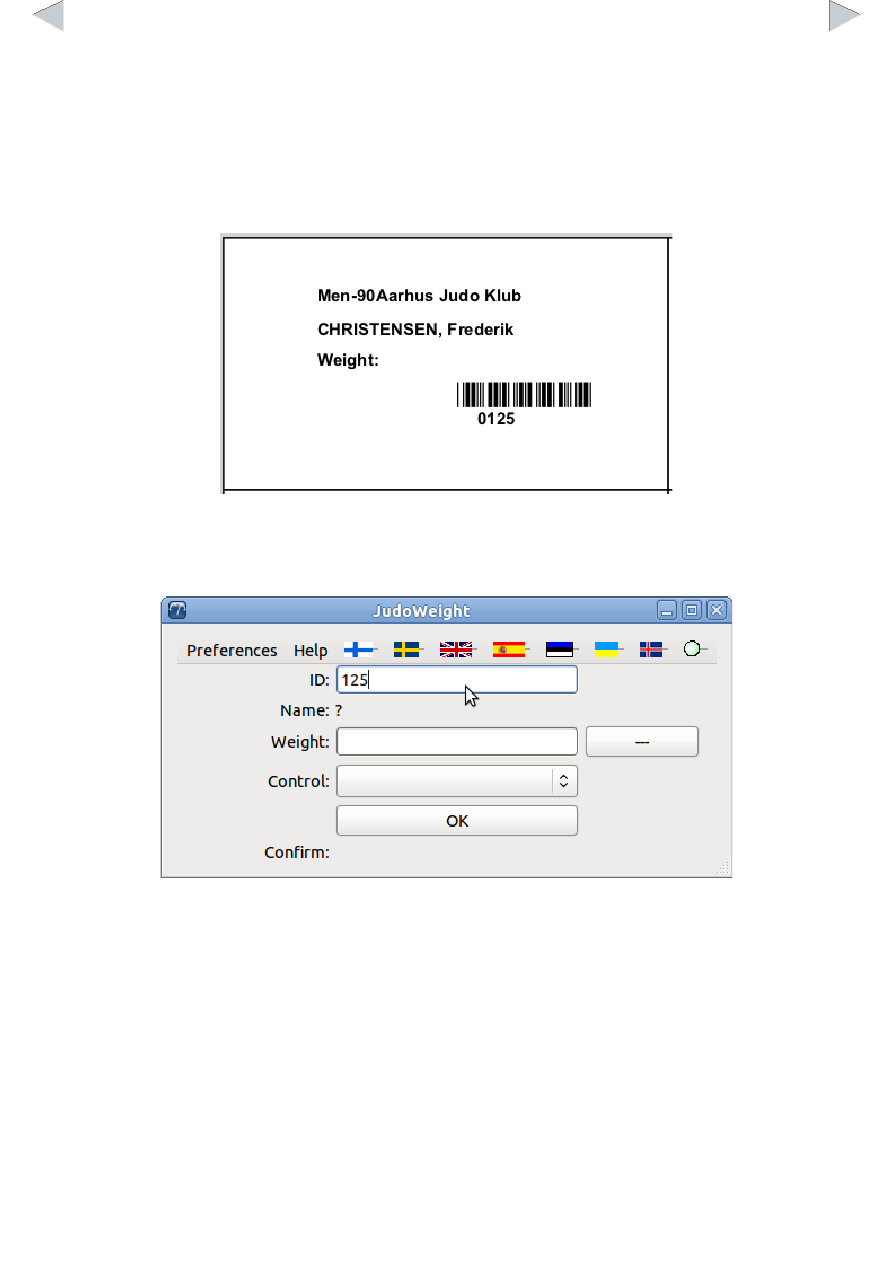
First you want to have accreditation cards or weigh-in cards with a barcode. The default card is
below:
You can make your own customized cards. Please see appendix X for further information.
You may write the weight manually after the “Weight:” text, but with the JudoWeight it is not
necessary. All the weights go to a log file, just in case.
Open the JudoWeight and create connection to the database:
ID is the competitor's internal ID in the database (125 in the example) or a manually given ID.
When you scan the barcode or type the ID number manually JudoWeight will show competitor's
current data: